
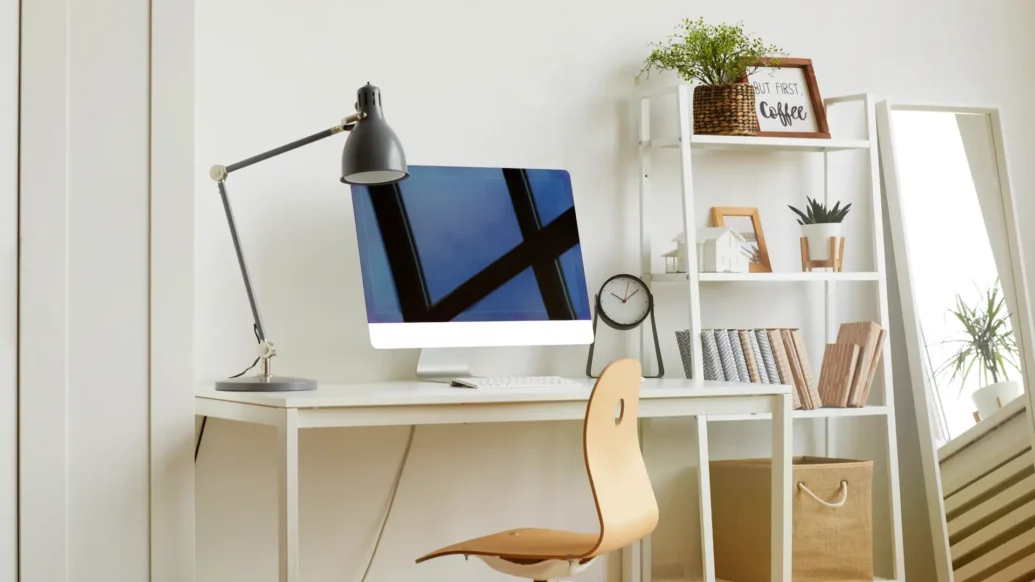
A work-from-home setup can look fine in person but messy on camera. Small choices, like a lamp position or shelf styling, can quickly change how calls feel. A clean, calm space can also make it easier to focus. The goal is not perfection, it is clarity that supports better conversations.
A good setup starts with what the webcam sees and what the body feels. That means a sensible layout, flattering light, and a background that does not distract. Once those pieces work, the space feels more “finished” with less effort. It also becomes easier to keep tidy between meetings.
The three parts of a great setup
A pro-looking home office comes from a few basics done well. Start with the spot you sit in each day, then fix the light, then shape what sits behind you. When those parts match, the whole setup looks intentional. That feeling carries into calls and into daily work.
Start with the smartest desk position
This section helps pick a spot that works for comfort and for the camera. A few small moves can reduce clutter and improve posture. It also reduces the need to shift items before meetings. The aim is a stable position that stays comfortable for hours.
Begin by facing a wall or a stable backdrop, not an open doorway. Next, place the screen so the camera sits close to eye level. For a simple upgrade, add one strong visual, such as trendy canvas art prints , sized to read clearly on screen. Keep the desk edge clear so the webcam view stays calm.
After that, tighten the “work triangle” between keyboard, mouse, and notepad. Store cables in one route so they do not creep into view. If space is tight, a small side table can hold chargers and stop desk piles. A tidy layout should feel easy to reset in one minute.
Use light that flatters and helps focus
This section covers light that looks natural on calls and supports long work sessions. It focuses on simple changes that work in most UK homes and aligns with DSE guidance. Good lighting also reduces eye strain during long blocks of screen time. The goal is consistency across daytime and evening calls.
Start by using daylight from the side if possible, since it softens shadows. Then add one steady lamp to control the look when the weather changes. Avoid a strong light directly behind the chair, because it turns faces into silhouettes. A small, repeatable setup usually beats constant tweaking.
Place a lamp slightly above eye level and angle it toward the face. Choose a warm white bulb that stays natural on most cameras. Diffuse harsh light with a lampshade or a thin curtain. If glare appears, switch off one competing ceiling light.
Finally, check the view during a real call, not only in the camera preview. Small changes in angle often beat buying more gear. Once the light stays consistent, the whole setup feels calmer.
Build a backdrop that stays tidy every day
This section shows how to create a background that looks good without constant styling. It also keeps the space practical for everyday life. A tidy backdrop should support calls without taking over the room. Simple repetition keeps it looking deliberate.
Aim for two or three background elements that repeat, such as a plant, a framed piece, and a neutral shelf. Keep personal items out of the camera frame if they pull attention away. If posture is a concern, UK readers can check HSE guidance on setting up a workstation for practical basics. Combine comfort and aesthetics so the camera view remains relaxed.
Next, choose one main “anchor” item behind the chair, then keep the rest quieter. A single tidy shelf works better than several half-filled surfaces. When storage is limited, use one box or basket that hides small items fast. The best backdrop is one that looks the same on busy weeks.
A strong setup is only useful if it stays easy to live with. The simplest approach is to reduce daily decisions and make tidying up automatic. A few repeatable habits help more than frequent big changes. Comfort also matters, since discomfort shows up in posture and mood.
Set a weekly reset time and keep a small kit nearby for quick fixes. That kit can include a cloth for the desk, a cable tie, and one spare bulb. Also keep the camera angle saved, so it does not drift over time. When the basics stay steady, the whole space feels dependable.
Keep one clear drop zone for items that would otherwise pile up. Do a quick cable check before the first call of the day. Leave one background surface empty so the frame can breathe. Adjust chair height first, then match the screen and camera to it.
Final checks for a calmer WFH space
A well-designed work-from-home setup should support focus, confidence, and comfort in equal measure. It does not need to be expensive or complicated. It just needs to be intentional, repeatable, and easy to maintain.
Build it once, then refine it slowly as routines change. Keep the camera view simple, and keep the lighting consistent. When the setup works quietly in the background, meetings feel less draining.

-
 How to book a cheap holiday without making it feel cheap - 5 May 2026
 - Designing the ultimate WFH setup: Backgrounds, lighting and everything in-between - 21 January 2026
- How tech is transforming online entertainment with gamification - 9 November 2025