
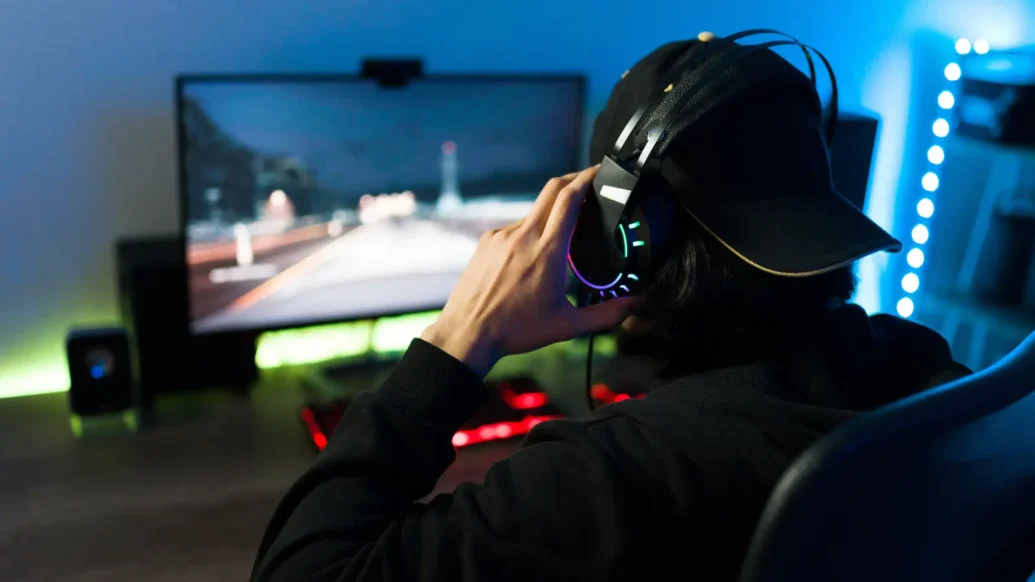
Designing the perfect game room is not just a casual pastime, it’s practically an art form. Whether you are a die-hard gamer or simply someone who appreciates a space that blends comfort and technology, a well-equipped room can really up your game. Imagine a setup where every chair, light, and gaming gear is meticulously chosen to create an immersive experience that keeps you in the zone.
Whether your gaming style is strategy, RPGs, or card games like poker, a great game room is a must. When casually browsing mobile gaming platforms, online poker sites or entering a high-stakes poker game, having the right setup can make all the difference. Just like you would select a poker variation, poker site, or tournament to suit your style, selecting the right ergonomic furniture or optimising your lighting to your style matters.
Plan Your Gaming Sanctuary
Let’s face it, planning a gaming space isn’t just about creating an edgy space, it’s about elevating your gaming experience. A well-designed setup not only improves comfort during long sessions but also boosts performance. Proper planning includes carefully considering ergonomics (because we all need a functioning spine), organisation to reduce clutter, and finding the optimal placement for gaming equipment and furniture. Additionally, a thoughtfully planned out space can accommodate future upgrades or changing gaming needs, saving you time and money in the long run.
Upgrade Your Gaming Room Equipment
Elevating your gaming room starts with the right equipment. Begin with a high-quality gaming chair that provides proper support for those marathon sessions. Look for adjustable features and ergonomic design to prevent fatigue and discomfort. Invest in a sturdy, spacious desk that accommodates your setup comfortably. Consider options like L-shaped desks for corner spaces or standing desks for versatility.
For displays, think beyond just size. A high refresh rate monitor can give you a competitive edge in fast-paced games, while a curved screen can enhance immersion. Don’t overlook audio; a good headset or speaker system can transform your gaming experience, allowing you to pinpoint enemy locations or fully appreciate a game’s soundtrack.

Optimise Connectivity
A stable and fast internet connection is your lifeline when online gaming. Start by positioning your router in an optimal location, free from obstacles. If your gaming room is far from the router, consider a mesh network system to ensure consistent coverage.
Whenever possible, opt for a wired ethernet connection for your gaming devices. This reduces latency and provides a more stable connection compared to Wi-Fi. Invest in a high-quality ethernet cable; Cat6 or higher is recommended for gaming.
Don’t forget about your internal network. A gaming-focused router can prioritise gaming traffic, reducing lag and improving your online experience. Some models even offer built-in VPN services for added security and potential access to region-locked content.
Create the Perfect Gaming Atmosphere
The right atmosphere can elevate your gaming from a mere pastime to an immersive experience. Start with lighting; consider RGB LED strips or smart bulbs that can be synced with your games for a more dynamic environment. Bias lighting behind your monitor can reduce eye strain during long sessions.
Sound management is crucial. Acoustic panels can improve audio quality and reduce echo, enhancing both your gaming experience and any streaming or recording you might do. For shared living spaces, consider soundproofing options to keep the peace with housemates or neighbours.
Temperature control is often overlooked but somewhat important. A cool, comfortable room temperature can help you stay focused during intense gaming sessions. Consider a small fan or even a mini air conditioner for your space.
Prioritise Cable Management
A well-organised cable system is more than just aesthetically pleasing, it’s crucial for maintaining a clean, efficient gaming space. Start by mapping out your cable routes and measuring the distances between your devices and power sources. Invest in high-quality cable organisers such as cable sleeves, raceways, or under-desk trays to keep wires neatly bundled and out of sight.
Consider using cable clips or adhesive cable holders to guide wires along the edges of your desk or walls. For power management, a surge protector or UPS (Uninterruptible Power Supply) not only protects your valuable equipment but also centralises your power cables. Remember, good cable management isn’t just about looks; it really does prevent tripping hazards, makes cleaning easier, and allows for better airflow around your equipment, potentially extending its lifespan.
Personalise Your Gaming Space
Your gaming room should be a reflection of your personality and gaming preferences. Start with a colour scheme that resonates with you, perhaps based on your favourite game or esports team. Consider adding themed wall art, posters, or vinyl decals to bring your gaming passion to life on your walls.
Lighting plays a crucial role in personalisation. LED strips or smart bulbs can be programmed to match your game’s ambience or your mood. For a more subtle touch, consider a themed lamp or light-up wall art.
Display your gaming memorabilia proudly. Install floating shelves to showcase collectables, trophies, or limited edition items. If you’re a fan of multiple franchises, consider rotating your displays to keep the space exciting.
Don’t forget about comfort items that make the space uniquely yours. This could be a favourite throw blanket, a gaming-themed rug, or even a mini-fridge stocked with your preferred gaming snacks and drinks. Remember, the goal is to create a space where you feel completely at home and inspired to game at your best.
Integrate Home Automation
Integrating smart home technology into your gaming room can significantly improve both convenience and immersion. Start with smart lighting systems that can be controlled via voice commands or smartphone apps. These allow you to adjust brightness and colour temperature to suit different gaming scenarios or times of day, reducing eye strain.
Consider installing smart plugs or power strips to control multiple devices simultaneously. This can be particularly useful for powering down your entire setup with a single command, saving energy and extending equipment life. A smart thermostat can maintain optimal room temperature automatically, ensuring comfort during intense gaming sessions.
For an extra layer of immersion, consider systems that sync your room’s lighting with on-screen action. While automation can greatly improve your gaming environment, aim for a balance that doesn’t overcomplicate your setup or create unnecessary distractions.

-
 How to book a cheap holiday without making it feel cheap - 5 May 2026
 - Designing the ultimate WFH setup: Backgrounds, lighting and everything in-between - 21 January 2026
- How tech is transforming online entertainment with gamification - 9 November 2025